
Featured story
News · 40-photo gallery
Tesla’s Roadster Reveal Was Absolutely Wild
Airborne stunts, thrusters, and a dramatic new shape. A closer look at Tesla’s latest Roadster reveal—with 40 photos to explore.
Read storyThe electric life
Tesla news, owner guides and life with an EV.
Airborne stunts, thrusters, and a dramatic new shape. A closer look at Tesla’s latest Roadster reveal—with 40 photos to explore.
Read story
Real carbon, carbon-look finishes, and plastic alternatives—how to choose based on appearance, everyday use, fitment, and budget.
Read story
Practical Tesla battery-care tips: daily charge limits, Supercharging, temperature, long-term parking and when to check battery health.
Read story
Ghost Costume, spooky lights and Halloween Photobooth: explore Tesla’s new Halloween Mode, compatibility details and the Trick or Treat settings owners should check.
Read story
Same commute, different battery use? How weather, speed and parked features affect the numbers—and what to check first.
Read story
From sharper styling and ventilated seats to a quieter ride and new controls, see what changed between the 2023 Model 3 and the 2024 Highland refresh—including Performance.
Read story
Tesla has announced a Supercharger emergency feature. Here’s what is confirmed, what remains unclear, and where to check your own car.
Read storyTesla has announced a Supercharger emergency feature. Here’s what is confirmed, what remains unclear, and where to check your own car.
Tesla’s latest charging announcement is about a situation nobody wants to encounter. On October 1, 2026, Tesla Charging announced Emergency Drive Away, a feature that allows a vehicle to shift into Drive while still connected to a Supercharger.
The name deserves to be taken literally. Tesla says the feature is for emergencies and warns that using it will damage both the vehicle and the Supercharger. It is not a shortcut for finishing a charging session.
The official announcement confirms the ability to shift into Drive while plugged in. A follow-up from Tesla Charging spells out the emergency-only purpose and damage warning.
For everyday charging, continue to end the session and disconnect normally. Do not try the emergency feature simply to see whether it works.
We could not verify a complete model, hardware and regional eligibility list from the official announcement. We are therefore not labeling it available on every Tesla, or promising that a particular software version enables it on your car.
Tesla distributes software in stages. Two owners can receive updates at different times, and features can depend on vehicle configuration and region. A social-media demonstration is not confirmation that the same function is ready in your vehicle.
Open Controls → Software on the touchscreen to check available updates. Under Software, open Release Notes to read what your installed update includes. Tesla also recommends the in-car Owner’s Manual for information tailored to your vehicle.
Keep the car connected to Wi-Fi for updates, and allow time when you will not need to drive: the vehicle cannot be driven during software installation. These details come from Tesla’s software update guide.
This is news worth understanding before you ever need it. The useful takeaway is its purpose and limitations—not an invitation to experiment. We would rather leave an eligibility question open than turn an announcement into a promise about every owner’s car.
Reporting checked October 8, 2026. Availability may change after that date. ModdedEV is an independent aftermarket retailer.
From sharper styling and ventilated seats to a quieter ride and new controls, see what changed between the 2023 Model 3 and the 2024 Highland refresh—including Performance.
The headlights make the refreshed Model 3 easy to spot. But they don’t explain the biggest reasons someone might prefer it over the older car.
With the Highland refresh, Tesla put considerable attention into the things owners experience every day: road noise, ride comfort, seats and the cabin. It also removed familiar controls—a change that remains harder to call an improvement.
This comparison focuses on the U.S. 2023 Model 3 and the 2024 Highland refresh, with the Performance version covered separately. Later model years have their own equipment changes.
The older Model 3 has a rounded front end and taller headlights. Highland introduces slimmer lights and a reshaped bumper, giving the nose a lower, sharper appearance.
At the back, the new C-shaped taillights sit entirely on the trunk lid, rather than being split between the trunk and body. Spelled-out TESLA lettering replaces the central Tesla emblem, and the lower rear bumper is redesigned.
The overall silhouette is still recognizably Model 3. This is a substantial refresh of the familiar shape, rather than a completely different-looking sedan.

Inside, Highland changes more than the steering wheel.
Tesla redesigned the dashboard and door panels, revised the center console and introduced an adjustable ambient-light strip that runs across the dashboard and into the doors. The materials and padding also received attention, particularly around surfaces passengers touch.
The minimalist layout remains: there is still no traditional instrument cluster behind the wheel, and the central touchscreen handles most vehicle settings.
Ventilated front seats are one of the most useful additions. The outgoing 2023 car offered seat heating, but Highland adds airflow through the front seats—a welcome difference after the car has been parked outside on a hot day.
Rear passengers get an 8-inch touchscreen with climate and entertainment functions. It gives people in the back some control without asking the driver to adjust everything from the front.
Some of Highland’s most meaningful changes barely show up in photos.
Tesla expanded its use of acoustic glass and revised the suspension, bushings and sound insulation. The goal was to reduce the noise and sharp impacts that could make the older Model 3 feel busy on rough pavement.
MotorTrend’s back-to-back comparison of the old and refreshed Long Range models found a noticeably more refined ride. That matters because the improvement extends beyond a new feature on a specification sheet: it changes the experience of an ordinary commute.
Wheel and tire choice still matters. A car on larger wheels and lower-profile tires can feel different from one on the smaller factory setup, even within the same generation.
The 2023 Model 3 has steering-column stalks for the turn signals and gear selection. The initial Highland refresh removes both.
Turn signals move to buttons on the steering wheel, while selecting Drive or Reverse moves primarily to the touchscreen.
That creates a cleaner-looking steering area, but it also changes actions drivers normally perform by feel. With wheel-mounted indicators, the buttons turn with the wheel—a detail worth trying yourself during tighter turns and roundabouts.
Whether that feels intuitive is personal. For someone who values familiar physical controls, the older car has a clear point in its favor. This is one difference a test drive will explain better than a feature list.
There isn’t one sound system shared by every Model 3.
For the initial Highland lineup, the Long Range AWD received a 17-speaker system with two subwoofers. The refreshed entry-level RWD used a different, nine-speaker setup.
That distinction matters when comparing cars. “Newer Model 3” doesn’t automatically mean “better-equipped audio system” if you’re moving between trim levels. Check the actual configuration rather than assuming the refresh tells the whole story.
The 2024 Model 3 Performance received additional changes beyond the regular Highland update.
Tesla introduced adaptive damping, more supportive sport seats, distinct front and rear aerodynamic styling, and a staggered wheel-and-tire setup. Its updated Track Mode also integrates suspension control with the powertrain and other vehicle systems.
At its U.S. launch, Tesla advertised 510 horsepower and a 2.9-second 0–60 mph time, with rollout subtracted from that acceleration figure.
The important distinction is the hardware. The refreshed Performance has its own suspension, seating and aerodynamic package; choosing it changes more than straight-line acceleration.
Our take: comfort is the strongest reason to consider the regular Highland refresh. Ventilated seats, a quieter cabin and suspension improvements are changes you can appreciate without driving hard. The lighting, revised interior and rear screen add to that appeal.
The older Model 3 still makes sense for someone who likes its appearance, prefers stalk controls or already enjoys the car they own. A redesigned cabin doesn’t automatically justify replacing a perfectly good vehicle.
If you’re comparing the Performance versions, spend more time evaluating the seats, suspension and handling—not just the acceleration claim.
Drive both on the same roads if you can. Include rough pavement, a highway stretch and a few parking maneuvers. Those situations reveal the differences that matter long after the novelty of the new headlights wears off.
Same commute, different battery use? How weather, speed and parked features affect the numbers—and what to check first.
Yesterday’s commute barely moved the battery percentage. Today, the same route used noticeably more. That can feel confusing, especially when you are new to an EV.
The useful question is not simply “How many miles disappeared?” It is “What changed about the energy this trip needed?” Start by separating the numbers you see on the screen.
Tesla explains that the mileage displayed beside the battery is based on rated efficiency, rather than your personal driving pattern. It is an estimate, not a guarantee that each displayed mile will equal one mile of road.
For context on actual consumption, use the car’s Energy app where available. Tesla’s range guide explains the difference between that battery display and real-world energy use.
Higher speeds, headwinds, rain, hills and additional cargo can all change consumption. So can wheels, tires and accessories that alter aerodynamic drag. Driving the same distance does not necessarily mean asking the car to do the same amount of work.
A useful comparison is a similar journey at a similar speed, with a similar load. Comparing a relaxed afternoon drive with a faster, windy morning trip can make normal variation look more mysterious than it is.
In cold weather, the car needs energy to warm the cabin and battery as well as move you down the road. On a short outing, those heating needs can make up a noticeable share of the total.
Tesla recommends preconditioning before departure. When plugged in, this can draw from external power and preserve battery energy for driving. You can set a departure schedule rather than relying on remembering every morning. See Tesla’s winter driving tips for the settings and model-specific limitations.
Hot weather has its own comfort demands. Tesla’s summer guidance also recommends cooling the cabin while connected to power before leaving. Keep visibility and a comfortable cabin as priorities; efficiency should not mean an unpleasant drive.
A Tesla can use energy without moving an inch. If you leave it unplugged at work with security monitoring and cabin cooling enabled, the battery has been doing more than waiting for the drive home. That parked consumption is separate from the energy used on your commute.
This feature can run the air conditioning when the parked cabin gets hot. Where offered, the No A/C setting runs the fan instead. Both use energy; fan-only operation does not provide the same cooling as air conditioning.
Check Controls → Safety → Cabin Overheat Protection, or its setting in the app’s Climate menu. If you do not need it for an empty parked car, turning it off avoids that particular energy use. Tesla describes it as a comfort feature, not a requirement for protecting vehicle components. It is not a substitute for safe supervision of children or pets.
Sentry keeps security monitoring active while the vehicle is parked. It consumes energy even if you return to find no recorded incident—an empty event list does not mean the system used no power.
For long periods unplugged, decide where that protection matters most. In the Sentry Mode settings, supported vehicles let you exclude Home, Work or Favorites. Excluding a location trades away automatic Sentry monitoring there, so choose based on where you park rather than switching it off everywhere just to save charge. See Tesla’s Sentry Mode guide.
Keep Climate On, Dog/Pet Mode and Camp Mode continue running climate control in Park. Preconditioning also uses energy before departure. When unplugged, that energy comes from the battery. Schedule it near your actual departure and plug in when practical. Never turn off climate control that an occupant or pet needs simply to preserve range.
Feature names, operating limits and automatic shutoff thresholds vary by vehicle and software. Check your in-car manual and Tesla’s climate-control guidance.
Remote commands, live-camera viewing and some third-party app requests can wake the car or keep systems active. Avoid repeatedly waking it just to check whether the battery has dropped; review connected services if unexplained drain persists. Simply having the Tesla app installed does not mean it is continuously keeping the car awake.
Some standby use and battery-temperature management are normal, so disabling optional features will not make parked consumption zero. There is no single reliable “percent per day” figure for every Tesla: weather, equipment, software and hours parked all matter.
Where available, open the Energy app and select Park, then Since Last Drive or Since Last Charge. Review its consumption breakdown and suggestions. Use Drive to investigate energy spent on the road. The charging screen pictured in this story shows charging status; it is not the parked-consumption breakdown.
For a useful comparison, note the charge level when parking and returning, how long the car sat, the weather and which features were enabled. Compare similar days, changing one optional setting at a time. If consumption stays unusually high without an explanation, or you receive battery alerts, contact Tesla service.
Tesla’s energy-use guide explains the Drive and Park views. Screens and available features vary by vehicle and software.
A different consumption figure on one trip does not, by itself, measure battery health. Treat it as a clue. A little context usually makes the numbers more useful—and makes planning the next drive less of a guessing game.
Ghost Costume, spooky lights and Halloween Photobooth: explore Tesla’s new Halloween Mode, compatibility details and the Trick or Treat settings owners should check.

Your Tesla is getting into the Halloween spirit. Tesla’s new Halloween Mode introduces a ghost costume for your car’s on-screen visualization, spooky sounds, interactive lighting effects, and seasonal entertainment.
The feature arrived with software update 2026.38.3, giving supported vehicles a Halloween makeover just in time for October. Tesla’s release notes highlight four main additions: Ghost Costume, Trick or Treat Mode, a themed light show, and Halloween Photobooth features.
Ghost Costume changes your vehicle’s on-screen appearance into a ghost. Trick or Treat Mode adds an interactive element: when visitors approach, the car can respond with spooky sounds and flickering lights.
For owners planning a Halloween driveway display, the update also includes a themed light show. Photobooth adds another way to join the festivities from inside the car. These features make Halloween Mode particularly suited to showing friends and family what your Tesla can do while parked.
See the Tesla 2026.38.3 release notes reproduced by Not a Tesla App for the feature description and listed availability.
Compatibility is the detail to check before getting excited about an update notification. The release-note listing identifies Halloween Mode for supported vehicles with AMD infotainment hardware.
Receiving software version 2026.38.3 does not, by itself, mean your car receives every feature included in that release. Check the release notes displayed in your own vehicle for its available features.
Trick or Treat Mode changes more than the car’s appearance. The feature’s reported on-screen warning says it disables Sentry Mode, the security alarm, and walk-away locking while active. See the Halloween Mode feature walkthrough for context.
Treat it as an entertainment setting for a supervised Halloween display. Read the prompts in your vehicle, and check your normal security and locking settings when you finish.
At ModdedEV, we’re all about making your Tesla feel personal. A seasonal software feature is a fun way to give the car a different personality—and a good excuse to bring it into your Halloween setup.
Want to keep personalizing your Tesla after October? Explore accessories for Tesla Model 3 or Tesla Model Y, or browse ModdedEV’s Tesla accessories. Check each product’s model and year compatibility before ordering.
Feature information checked October 10, 2026. Availability can vary by vehicle and software. Cover image cropped and enhanced from the supplied photograph. ModdedEV is an independent aftermarket accessories retailer and is not affiliated with Tesla.
Practical Tesla battery-care tips: daily charge limits, Supercharging, temperature, long-term parking and when to check battery health.

A good battery-care routine should make Tesla ownership easier. You do not need to chase a perfect percentage every time you park. Start with the charging guidance for your own car, then build a few repeatable habits around it.
This guide focuses on the high-voltage battery that powers the vehicle. Recommendations and available features vary by battery, model year, region and software.
Battery health concerns how much energy the pack can retain as it ages. Range also depends on how quickly you use that energy. Cold weather, higher speeds, hills and tire choices can reduce the distance you travel without proving permanent capacity loss.
Use the Energy app to investigate consumption rather than treating one disappointing drive as a battery diagnosis. Our guide to changing range explores those everyday differences.
Open the Charging screen in the car or Tesla app and check the daily recommendation. Tesla recommends about 80% for vehicles that show an 80% daily limit, reserving a higher charge for trips that need it.
Do not apply that number to every Tesla. Different batteries have different charging routines. Follow any full-charge instructions your vehicle displays instead of copying another owner's settings. Tesla's battery-care guidance makes this distinction explicit.
There is no benefit to deliberately running the battery low before plugging in. Tesla recommends regular charging and avoiding extended periods near empty or full.
When you need a high charge for a journey, our practical suggestion is to plan it around departure rather than leaving the car full for days. Afterward, check that the daily limit is restored.
Being plugged in does not mean charging continuously to 100%. The car manages charging around the limit you set. A small drop below that limit before charging resumes can be normal.
External power can also support vehicle systems while parked. Tesla explains this behavior in its charging instructions.
Tesla favors Level 1 or Level 2 charging when practical, with Supercharging for longer journeys. Use fast charging when your travel or living situation requires it; this guidance is not a reason to avoid a necessary charging stop.
On road trips, use the car's Trip Planner to select charging stops. Tesla's charging guide explains how it recommends stops and charging times.
In cold weather, schedule preconditioning before departure, preferably while plugged in. This warms the cabin and battery using external power when available. Finishing charging nearer departure can also reduce the energy needed to warm the pack.
A cold-battery indicator and temporarily reduced regenerative braking can improve as the battery warms. They do not automatically indicate damage. See Tesla's winter guidance.
On hot days, choose shade where practical. Tesla also advises avoiding prolonged exposure to extreme ambient temperatures; consult your own manual for limits.
For parking longer than two weeks, Tesla recommends roughly 50% charge, a 50% limit and remaining plugged in when possible. Without charging access, allow enough reserve for parked consumption and your return journey.
Review optional parked features, including Sentry Mode and unnecessary climate or entertainment use. Turn off security monitoring only where you are comfortable with that trade-off. Keep climate protection needed by occupants or pets. Tesla's battery-care manual covers storage and parked energy use.
Some vehicles offer Controls → Service → Battery Health. Availability varies. Tesla recommends the optional Battery Health Test when there is a concern about energy retention, rather than as a routine habit.
The Model 3 test can require up to 24 hours connected to suitable AC charging. Follow the displayed requirements and Tesla's test instructions; do not improvise a deep-discharge test yourself. Battery alerts or persistent unexplained problems deserve a Tesla service appointment.
Good habits can support longevity, but they cannot stop normal aging or guarantee a particular lifespan. Choose a routine you can maintain and let your vehicle's own guidance lead.
Guidance checked October 12, 2026. ModdedEV is an independent aftermarket retailer. Refer to the Owner's Manual in your vehicle for its specific instructions.
Real carbon, carbon-look finishes, and plastic alternatives—how to choose based on appearance, everyday use, fitment, and budget.

A front lip can change the character of your Tesla without changing the whole car. Choosing the material is where things get less obvious: is genuine carbon fiber worth the premium, or would an ABS alternative suit your build just as well?
Start with how you use the car, the finish you want, and what you are comfortable spending. Both materials can make sense. Neither label tells you everything about the finished part.
Real carbon fiber parts use carbon fibers combined with a resin. Construction varies: a part may have carbon throughout its laminate, a carbon outer layer over another material, or a decorative carbon skin. Ask what is underneath the visible surface.
ABS stands for acrylonitrile butadiene styrene. It is a moldable thermoplastic used in automotive components and many other products. ABS is one type of plastic; it is not a catch-all term for polypropylene, polyurethane, or every alternative body-part material.
Carbon-look ABS is ABS with a finish that imitates carbon fiber. A printed or hydro-dipped pattern does not turn the underlying plastic into carbon fiber. Gloss black also describes a finish, not a material.
Exposed woven carbon has a distinctive pattern and visual depth. It suits a build where matching carbon details are part of the design. Check close-up photos, finish options, and construction details rather than relying on a product title.
Gloss-black plastic can give a clean, understated result, while carbon-look finishes offer a patterned appearance at a different price point. Neither has to be a compromise if it is the look you prefer. When mixing parts, compare gloss level, pattern scale, and color: two finishes described as “carbon look” may not match.
Carbon composites can provide high stiffness for their weight, but a sharp impact can crack a laminate or separate its layers. ABS is known for toughness and impact resistance, but an ABS lip can still split, deform, or pull away from its mounting points. Neither material makes contact with a curb harmless.
Thickness, shape, manufacturing quality, temperature, and attachment method all affect the result. Avoid blanket promises that one material always survives an impact better than the other.
For a daily driver with steep driveways, consider the part’s projection and your available clearance before its material. A lower replacement cost may also matter more to you than an exposed carbon finish.
Standard ABS has limited resistance to long-term UV exposure. Exterior suitability depends on the grade, protective finish, and intended application. Carbon parts also need attention to their resin and coating: an attractive weave alone does not guarantee a finish that stays clear outdoors.
Follow the part supplier’s care guidance. Wash gently, avoid abrasive cleaning and unapproved solvents, and inspect mounting points and surfaces after a scrape. Loose or visibly damaged parts need assessment before continued use.
Carbon fiber’s reputation for low weight comes from engineered composite construction. An individual styling part is not automatically lighter just because carbon is visible; size, backing material, resin content, and hardware all contribute. Compare measured weights for equivalent parts if weight is important to you.
Genuine carbon parts often cost more because of their materials, layup, processing, and finishing. ABS alternatives can offer a more accessible route to the same general styling direction. Compare the complete cost, including installation and any required finishing.
A cosmetic carbon upgrade should not be treated as a promise of better acceleration, extra range, or measurable downforce. Those claims need evidence for the specific part and vehicle.
A premium material cannot correct the wrong shape. Confirm your Tesla’s model, year, generation, and trim against the individual listing. Check Performance compatibility explicitly rather than assuming every part for the same model year fits.
Review whether the item is a cover or replacement, how it attaches, and whether drilling or professional installation is required. Test-fit it before making permanent changes, and follow the supplied installation instructions.
Our recommendation: buy the part that fits your car and your priorities. A well-chosen plastic upgrade can be the right decision, and genuine carbon can be worth paying for when you appreciate what makes it different.
Explore upgrades for your Model 3 or Model Y. Unsure about a material or fitment? Send us the product link and your vehicle details before ordering.
Published October 14, 2026. This guide describes general material considerations, not test results for every ModdedEV product. Refer to each listing for its specified material, finish, fitment, and installation requirements.
Airborne stunts, thrusters, and a dramatic new shape. A closer look at Tesla’s latest Roadster reveal—with 40 photos to explore.

Some car reveals give you a turntable, a lighting cue, and a spec sheet. Tesla’s latest Roadster presentation went for a much bigger reaction. With airborne stunts and a shape that looks ready for a science-fiction film, this was a reveal designed to make people stop scrolling.
At the October 15 event in McGregor, Texas, Tesla put the long-awaited sports car back in the spotlight with SpaceX-linked thruster technology and dramatic demonstrations. Reuters reports that production is now targeted for 2028—a fresh milestone for a next-generation Roadster first shown in 2017.
The footage was the headline. Car and Driver describes an upside-down Roadster and airborne demonstrations at the SpaceX facility. That is a very different kind of entrance from driving quietly onto a stage.
It is also worth keeping the spectacle in context: a controlled prototype demonstration tells us something about the engineering ambition. It does not establish what a customer car will be permitted to do on a public road, or what the finished ownership experience will be like.
MotorTrend reports a displayed 0–60 mph run of 0.81 seconds during the presentation. That is an extraordinary demonstration figure. Without a complete, independently verified test protocol—including surface, timing method, and rollout—it should not be treated as a directly comparable production-car road-test result.
Tesla’s own Roadster page describes electrically actuated cold-gas thrusters capable of very rapid adjustments. The company also attaches configuration-specific caveats to its advertised features. The exciting numbers and hardware deserve attention, but buyers will need to check which version a claim applies to as the production specification develops.
Step away from the stunt footage and the supplied photos still make a strong impression. A low nose, sharply defined bodywork, and doors raised above the cabin give this Roadster an unmistakably theatrical stance. The rear views are particularly striking: dark surfaces, a broad silhouette, and a spoiler that changes the car’s attitude.
Inside, the white seats stand out against the dark cockpit. Close-ups of the yoke, wheel details, rear nozzles, and exposed chassis make the gallery more than a collection of beauty shots. They let you pause on the pieces that disappear in a fast-moving reveal video.
Our cover pick is the open-door view beneath the Milky Way. It captures the mood of this reveal perfectly. The gallery includes all 40 supplied images, from studio angles to cabin details and cinematic desert scenes. These are promotional images, including the hovering scene, rather than documentary photographs of the live event.
The Roadster has always represented a more playful side of Tesla: low, dramatic, and built around the idea that an electric car can be an object of desire. This reveal turns that idea all the way up.
The next chapter is getting from a spectacular demonstration to a finished car. For now, the design gives enthusiasts plenty to study—and the reveal has made the Roadster impossible to ignore again.
Published October 16, 2026. Performance figures are reported reveal claims, not ModdedEV test results. Production timing and final specifications may change.
Find your next upgrade
Explore interior details, exterior upgrades, and custom steering wheels for your Tesla.

Make every drive feel more like you, from ambient lighting to cabin details.
Explore interiors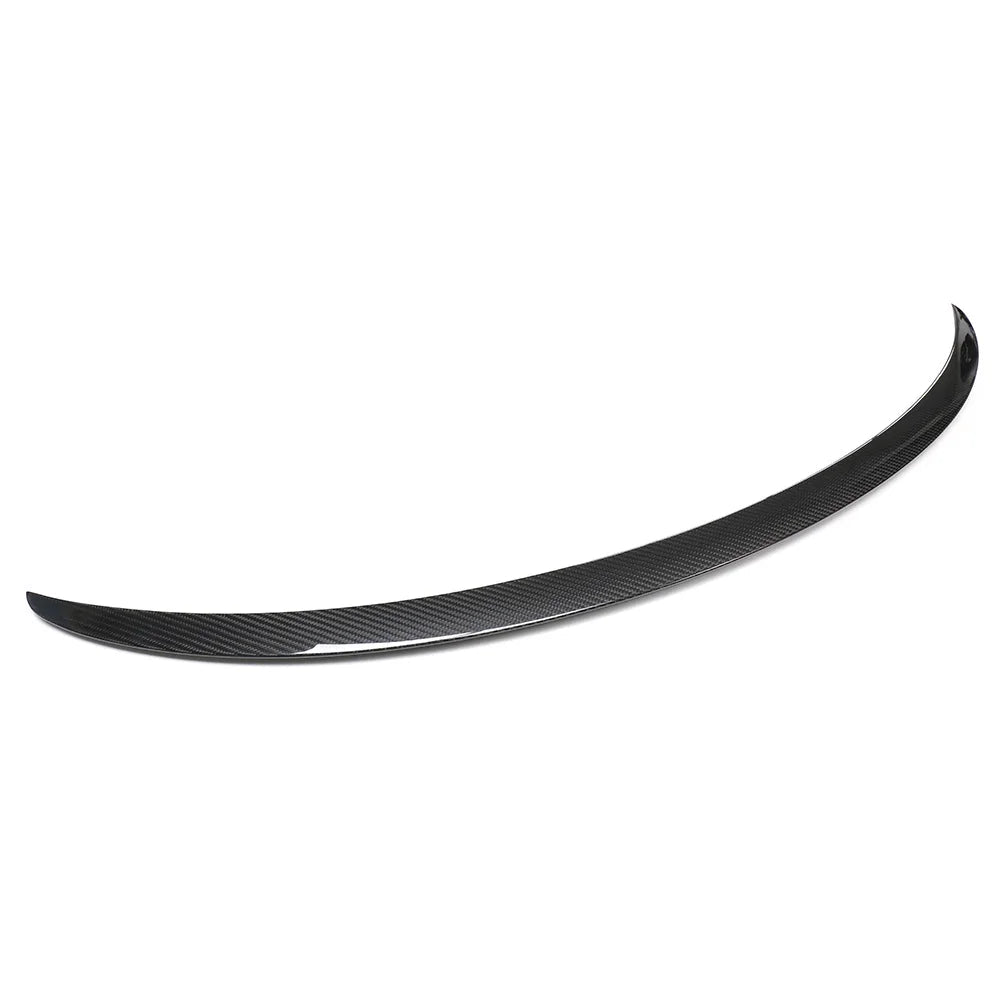
Give your Tesla a new look with spoilers, mirror caps, and exterior details.
Explore exteriors
Choose your shape, materials, and finishes in the Custom Wheel Studio.
Build your wheelChoose your vehicle to browse parts designed around its exact shape, interior, and model generation.
Tesla


